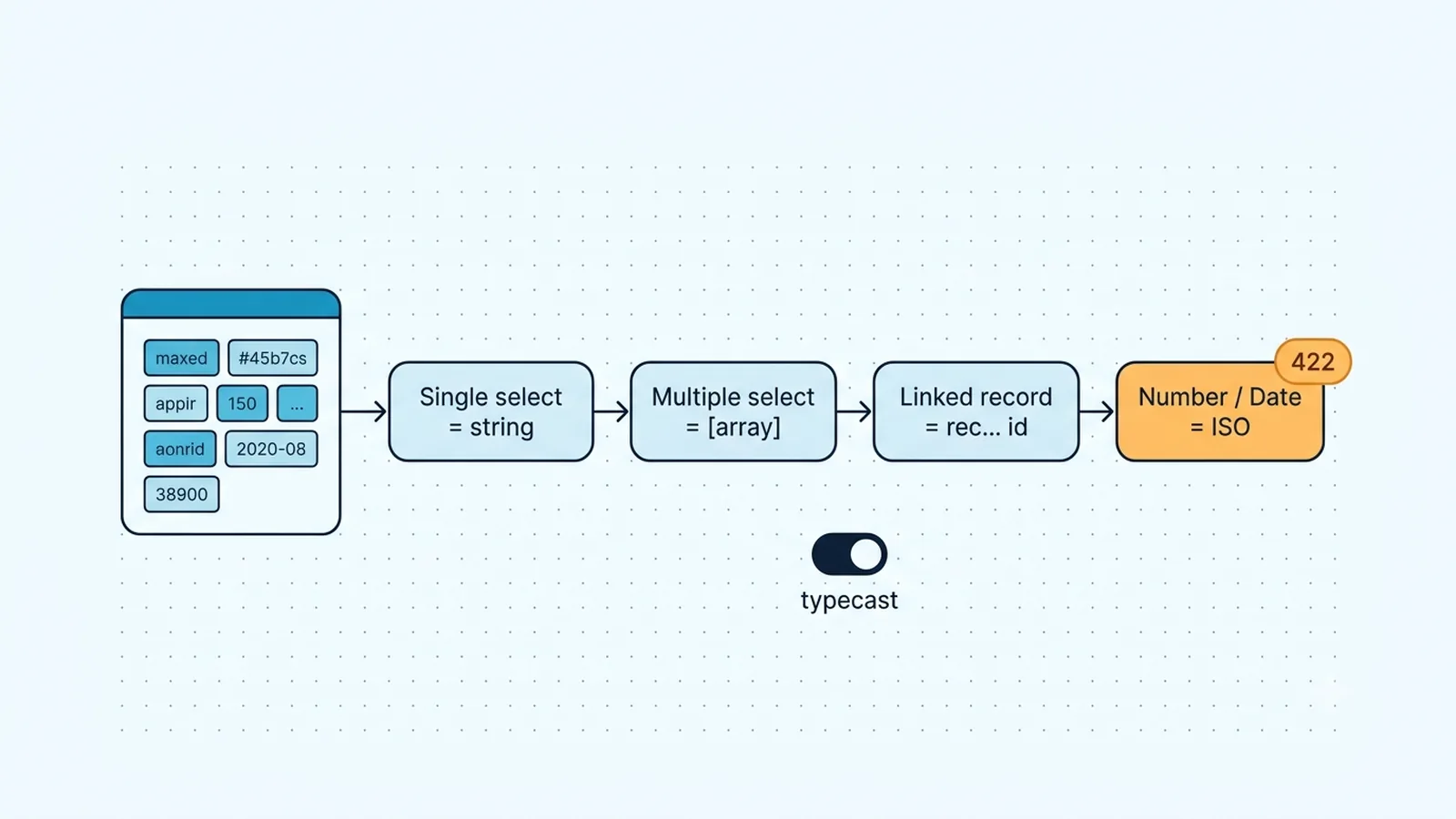
Identify the field and the actual JSON shape first
Airtable's 422 family tells you that the request reached a valid endpoint but the body could not be applied as sent. Do not begin by regenerating credentials: a token that can reach the table and receive a field-validation 422 has already crossed the authentication layer. Capture the Airtable response body from the failed n8n execution and identify the field named in the message. Then inspect the item entering the Airtable node, not the pretty value you expected upstream. Expressions can turn numbers into strings, collapse arrays into comma-separated text, or pass an entire object where Airtable expects one scalar.
For select fields, keep two error families separate. `INVALID_VALUE_FOR_COLUMN` can appear when the value is the wrong type or cannot be parsed for that column. When a single- or multiple-select value is syntactically the right type but names a choice Airtable does not accept, Airtable commonly reports `INVALID_MULTIPLE_CHOICE_OPTIONS`. That distinction determines the fix. A bad array or date needs normalization. A legitimate new select option may need exact spelling or deliberate typecasting. Logging the outgoing item and the full Airtable error body prevents blindly toggling Typecast around a structural problem.
Common Airtable field shapes to verify before retrying
| Field type | Typical write shape | Frequent n8n mistake |
|---|
| Single select | String choice name | Object such as {name: ...} or unintended whitespace |
| Multiple select | Array of choice-name strings | Comma-separated string |
| Linked record | Array of rec... record IDs | Display names instead of IDs |
| Number / percent / currency | JSON number | Formatted string such as "$1,250" |
| Date / date-time | Accepted date or ISO 8601 date-time string | Locale-formatted text Airtable cannot parse |
Normalize select values before deciding that Typecast is required
Existing select options should be treated as controlled vocabulary. Trim upstream whitespace, normalize the source value deliberately, and map external labels to the exact Airtable choice you intend. Do not silently lowercase everything: if two upstream labels have different business meaning, a normalization step can merge data that should stay distinct. For a multiple-select field, the API-facing value is an array of strings. If a source system emits `"Red,Blue"`, split and trim it before the Airtable node; passing one comma-containing string asks Airtable for one choice literally named `Red,Blue`. Treat the configured choice as an exact string contract: preserve intended case and spaces, and do not rely on Airtable to normalize a near-match into the existing option.
`typecast: true` is useful when Airtable can safely coerce an input or when you intentionally allow a new select choice to be created. Airtable's current troubleshooting guidance notes that a missing select choice can be created with typecast when the caller has sufficient permission. It is not a schema bypass. An invalid date, malformed linked-record value, or fundamentally wrong JSON type can still fail. For stable production flows, many teams prefer an explicit mapping table in an n8n Code or Edit Fields node so unexpected labels fail visibly instead of expanding a select vocabulary by accident.
const raw = $json.status;
const map = { "in progress": "In Progress", "done": "Done" };
const key = String(raw ?? "").trim().toLowerCase();
return [{ json: { ...$json, airtableStatus: map[key] ?? raw } }];
Use n8n Typecast or the Web API body deliberately
The current n8n Airtable node implementation exposes a Typecast option for record writes. Enable it when that behavior is part of your data contract, not as a first-response checkbox for every 422. If your installed n8n version does not expose the option where you expect it, confirm the node version and n8n release before assuming Airtable changed. An HTTP Request node is the deterministic fallback because the Web API accepts the Boolean `typecast` property in the request body.
For direct Web API writes, keep `typecast` at the request level rather than nesting it inside `fields`. For example, a create or update body can contain `fields` plus `typecast: true`. If a new choice must be created, the credential also needs the permission required to change that select's options. A 422 after enabling typecast can therefore mean permission or value parsing, not that the flag was ignored. Re-run one known record with the smallest possible payload so the field under test is isolated from unrelated columns.
{
  "fields": {
    "Status": "In Progress",
    "Tags": ["Priority", "API"]
  },
  "typecast": true
}
Treat linked records and computed columns as different contracts
Linked-record fields are not ordinary select fields. The safest API representation is an array of Airtable record IDs such as `rec...`. A visible primary-field value is not the same thing as a record ID, even if a UI lookup lets a human find the row by name. If your upstream system only has a customer or project name, first resolve the matching Airtable record, then write the returned record ID. This also forces you to handle zero matches and duplicate names explicitly rather than letting the link target become ambiguous.
Formula, lookup, rollup, count, created-time, and similar computed fields should be treated as outputs. Their values are derived by Airtable rather than accepted as ordinary writable inputs. Remove them from create/update payloads instead of trying to coerce the displayed result back into the field. A broad `{{$json}}` mapping is risky because it can include these read-only fields after an earlier Airtable read. Construct the write object from an allowlist of writable fields; this makes future schema changes much easier to diagnose.
Remove presentation formatting from numbers and dates
n8n often receives values already formatted for people. Airtable's number-like fields should receive JSON numbers, not strings with currency symbols, percent signs, grouping commas, or explanatory text. Convert the value before the Airtable node and reject `NaN` rather than writing a misleading zero. The same rule applies to checkboxes and other typed fields: send the API representation, not whatever label the source UI displayed.
For dates, prefer an unambiguous ISO 8601 value when a date-time is involved, including an offset or `Z` when you mean an instant in time. Airtable community examples show `INVALID_VALUE_FOR_COLUMN` when typecast cannot parse a nonstandard date string. Do not rely on a locale such as `03/09/2026`, because day/month interpretation changes across systems. If the Airtable field is date-only, normalize to the intended calendar date; if it carries time, make the timezone conversion explicit in n8n before the write.
Prove one corrected record before replaying the batch
When a batch fails, take one representative item and write only the suspect field plus a stable identifier. This reveals whether the failure belongs to the field value or another column in the original request. Once that succeeds, restore fields in small groups. In n8n, pinning test data can help reproduce the transformation, but do not confuse pinned editor data with the payload a production trigger actually produced. Compare the JSON from the real failed execution.
After the single-record write succeeds, decide what should happen to novel values. For controlled select taxonomies, route unknown options to a review branch and stop the write. For intentionally extensible tags, Typecast may be appropriate if permissions permit new choices. That policy belongs in the workflow rather than in a human memory of which checkbox to enable. The result should be deterministic: the same upstream value produces the same Airtable shape every time.
Verification checklist
- The Airtable error body identifies the same field you are testing, and the request reaches the intended base and table.
- Single-select values are strings and multiple-select values are arrays of strings after n8n expressions run.
- Linked-record writes use resolved `rec...` IDs rather than display names in the normal deterministic path.
- Numeric fields receive JSON numbers without display formatting, and date-time values are normalized to an unambiguous ISO 8601 representation.
- Typecast is enabled only when coercion or new choice creation is intentional and the credential has the required permission.
- A one-record, one-field test succeeds before the corrected transformation is replayed across the full batch.
Documentation and community threads cited
These fixes follow current Airtable API documentation, n8n node docs, and community threads. Primary sources:
Frequently asked questions
Why does Airtable still return 422 after I turn on Typecast in n8n?
Typecast can coerce some values and can allow permitted new select choices, but it does not repair every invalid JSON shape. Check the exact field type, outgoing value, permissions, and the full error body first.
Should an Airtable multiple-select value be a comma-separated string?
No. Send an array of choice-name strings. Split and trim comma-separated source text in n8n before the Airtable node if the upstream system does not already provide an array.
Can I send a linked-record name instead of its Airtable record ID?
For a deterministic integration, resolve the linked row and send its `rec...` ID in an array. Typecasting can infer some values in some contexts, but explicit record IDs avoid ambiguity and are easier to validate.