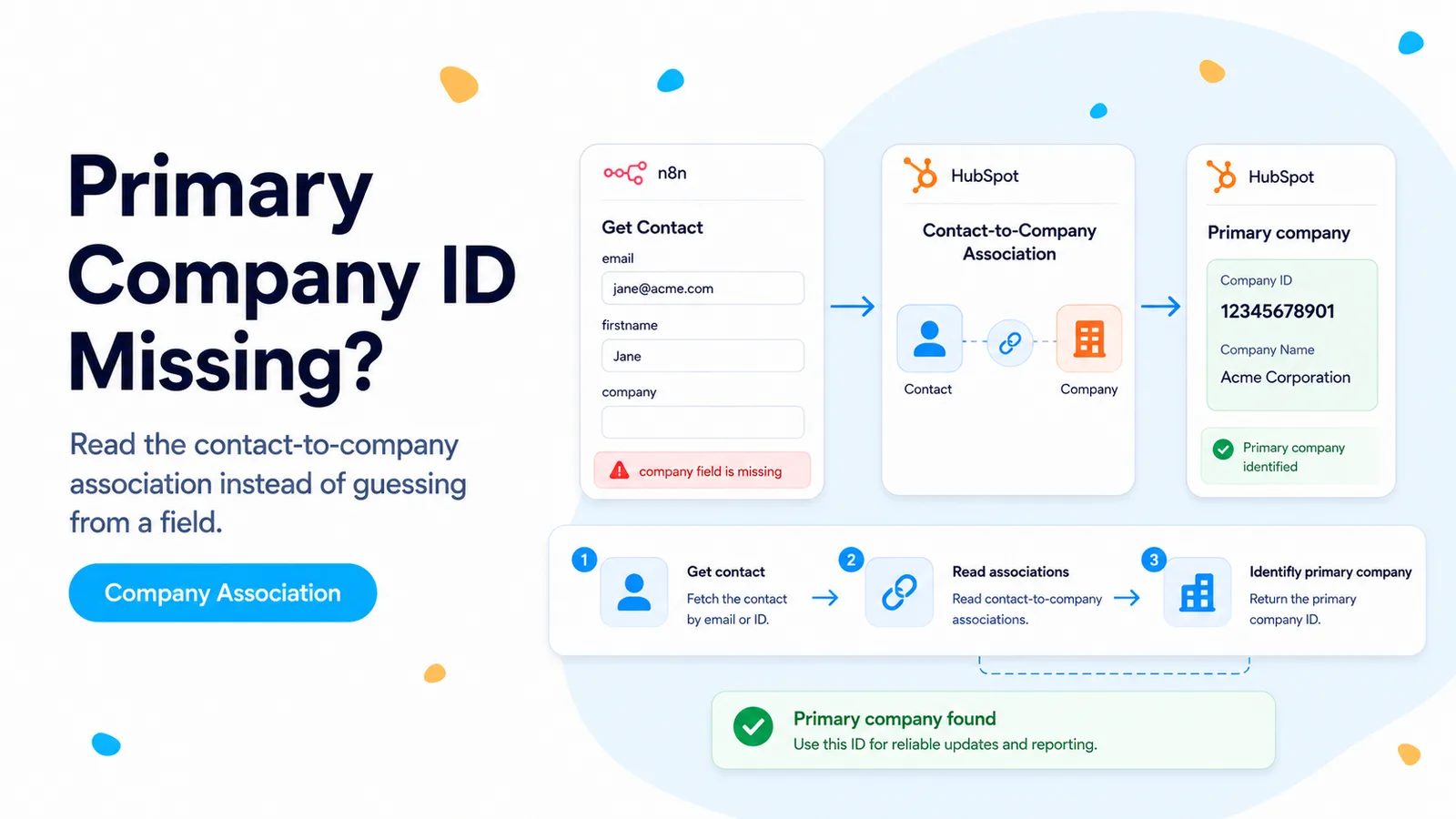
The missing ID is usually an association problem, not a contact-property problem
A n8n Community case started with a Contact Created trigger and then a Get Contact step. The user added what looked like an associated-company field, but the company ID was still absent from the workflow output. The symptom is confusing because HubSpot shows company relationships prominently on the contact record, so it feels like the company ID should be another contact property.
HubSpot models record relationships through associations. A contact can be linked to multiple companies, and one of those relationships can be marked as the primary company. That relationship has its own association type. It is not equivalent to asking the Contacts API for another ordinary property such as email or lifecycle stage.
The current HubSpot Associations documentation lists Contact to Company and Contact to primary company as distinct HubSpot-defined association types. That distinction is the safest way to reason about a contact that can have several companies.
If the business question is “which company is this contact related to?”, start with the Associations API. If the question is “what is the contact’s phone number?”, start with contact properties.
Read the company associations using the contact ID
Take the contact ID from the trigger or Get Contact node and call the associations endpoint for companies. HubSpot’s current date-versioned API supports retrieving a record’s associated records by object type. For a single contact, the path can read that contact’s associated companies directly.
In n8n, use an HTTP Request node with the existing HubSpot credential. Keep this lookup after the contact is known; do not search companies by contact email or by the text in the contact’s Company Name property. Those approaches can return the wrong company when names are duplicated or when a contact changes employers.
The association response gives you actual record IDs. You can then fetch the selected company and request only the company properties needed downstream.
GET https://api.hubapi.com/crm/objects/2026-03/contact/{{$json.contactId}}/associations/company
Authorization: Bearer <token>

Then GET the chosen company:
GET https://api.hubapi.com/crm/objects/2026-03/companies/<companyId>?properties=name,domain
Primary company requires the relationship label, not just the first company
Do not assume the first associated company returned is the primary company. HubSpot supports multiple company associations and a special primary-company relationship. The current association-type table lists Contact to primary company separately from the general Contact to company association.
When your workflow must distinguish the primary company, retrieve or inspect the association labels/types rather than depending on array order. If the endpoint you are using returns only IDs without labels, use the Associations API path that exposes the labels or retrieve the association definitions for the contact-to-company direction.
This matters in sales and routing workflows. Updating a billing system, assigning an account manager, or choosing a deal pipeline based on the wrong associated company can create a silent data error that is harder to detect than a failed API call.
- General contact→company relationship and primary-company relationship are different association types.
- Array order is not a business rule.
- If multiple companies are valid, define what downstream logic should do with non-primary companies.
- Log the selected company ID and the association label used to select it.
Why FlowPatch does not rely on a guessed `associatedcompanyid` field
The n8n Community thread suggested trying an additional field named `associatedcompanyid`. That may help in a particular connector version or portal, but it should not be the foundation of a durable integration unless you confirm what the field represents in the exact API response.
The current HubSpot documentation gives a first-class Associations API and explicitly defines Contact to Company and Contact to primary company relationship types. That model is clearer, supports multiple companies, and is less dependent on connector UI behavior.
Use a shortcut field only after testing it against the association result for contacts with zero, one, and multiple companies. If the shortcut cannot represent those cases correctly, keep the association-based workflow.
For batches, read associations in bulk instead of one HTTP call per contact
If an n8n workflow processes hundreds of contacts, one association request per item can become the slowest part of the run. HubSpot supports batch association reads. The current documentation allows a batch read of company associations for many contact IDs in one request.
Build an array of contact IDs, send a batch read, then join the returned company IDs back to the source items by contact ID. This reduces request count and makes rate behavior more predictable.
Do not batch so aggressively that one malformed item poisons a huge execution. Moderate batches with clear error handling are easier to replay.
Test contacts with zero, one, and multiple companies
A good test set has three contacts: one with no company, one with exactly one primary company, and one with a primary company plus at least one additional company. Run all three through the same association logic.
The first should take the no-company path, the second should return the expected company, and the third should prove that your primary-selection rule does not just take the first array element. Fetch the chosen company and verify its ID against the HubSpot UI.
Once that test passes, the workflow is handling the CRM relationship rather than relying on a display convention.
How this was verified
The n8n symptom comes from a Community report about a Contact Created workflow that could not see the associated company ID. The recommended durable approach is based on HubSpot’s current Associations API and its documented association type IDs.
Frequently asked questions
Why is the primary company ID missing from a HubSpot Get Contact response?
Company linkage is an association, not an ordinary contact property. Read the Contact-to-Company associations for the contact ID rather than expecting a plain field.
How do I get the primary company specifically?
Use the association label or type that represents the contact-to-primary-company relationship. Do not depend on a UI-style field such as associatedcompanyid unless you have verified the exact account and endpoint still expose it.
The association is empty right after contact creation — why?
There can be a race between contact creation and the association being written. Read associations after the linkage step, or add a short bounded retry, rather than assuming there is no company.