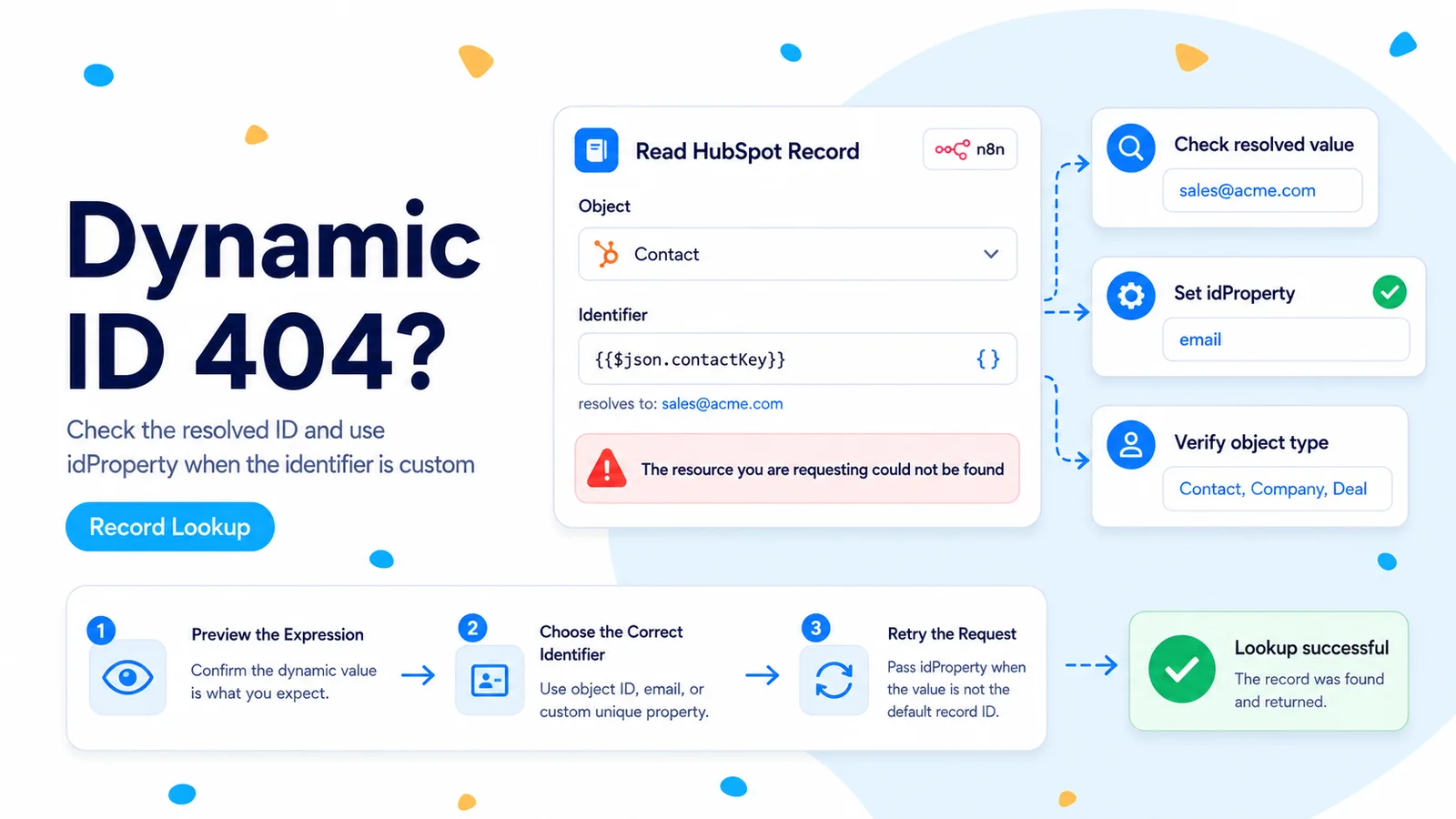
The hardcoded-versus-dynamic contrast is your best clue
A 2026 n8n Community case reports an unusually clean reproduction: HubSpot Get by ID returned the expected record when the user typed the ID directly, but the same workflow returned a 404 when the ID came from an item. An HTTP Request node showed the same difference, while a self-hosted copy of the workflow reportedly behaved differently from n8n Cloud. The thread did not establish a verified platform root cause, so the safest lesson is diagnostic rather than speculative.
A HubSpot 404 on an object endpoint means the request did not resolve a visible record at the path HubSpot received. It does not tell you which part of that path was wrong. The expression may have rendered an empty value, a different item’s ID, an email address without idProperty=email, a quoted string, or an ID belonging to another object type.
Because the hardcoded ID works, preserve that fact. Do not change the credential, scope set, and object type all at once. Use the working literal request as the control and make the dynamic request identical one component at a time.
Step 1: expose the final value as plain execution data
Add a Set/Edit Fields node immediately before the HubSpot lookup and store the candidate record ID in a field such as _hubspot_id_debug. Convert it to a string and trim it. Execute only the failing item, then copy the rendered value from the execution output and paste that exact value into the HubSpot node as a fixed value.
If the pasted value fails too, your dynamic expression was not actually producing the same ID as the successful hardcoded test. If the pasted value works, you have isolated the difference to expression evaluation, item selection, or how the node serializes the dynamic field.
Do this before adding regex cleanup. Cleaning an unknown value can hide the evidence. First record the raw value, including its type and length; then normalize a copy for the request.
// Code node just before HubSpot
return items.map((item, index) => {
  const raw = item.json.hubspotId;
  return { json: {
    ...item.json,
    _debug_item_index: index,
    _debug_id_raw: raw ?? null,
    _debug_id_type: typeof raw,
    _debug_id_string: raw == null ? null : String(raw),
    _debug_id_trimmed: raw == null ? null : String(raw).trim(),
    _debug_id_length: raw == null ? null : String(raw).length
  }};
});
Step 2: confirm you are using the right kind of ID for that endpoint
HubSpot’s current object API reads an individual record from /crm/objects/2026-03/{objectType}/{objectId}. By default, objectId means the internal HubSpot Record ID. If you want to identify a record by a custom unique property, HubSpot expects idProperty to name that property. Contacts have an additional documented convenience: email can identify a contact when you send idProperty=email.
This distinction catches a common automation mistake. A source field named contact_id might contain your own database ID, not HubSpot’s Record ID. A field named email obviously is not a numeric HubSpot record ID. And an associated company ID cannot be used against the contacts endpoint simply because it came from a contact payload.
Inspect the previous node’s schema and trace where the value was created. If it originated from a HubSpot object response, prefer the top-level id field for that exact object. If it originated outside HubSpot, either map it through a HubSpot unique property with idProperty or search for the record first.
// Record ID
GET /crm/objects/2026-03/contacts/123456789

// Email identifier
GET /crm/objects/2026-03/contacts/person@example.com?idProperty=email
Step 3: rule out n8n item pairing before blaming HubSpot
Dynamic IDs often fail only after a Merge, Loop Over Items, branching IF node, or reference to a non-adjacent node. In those workflows, the expression can resolve against a different item than the one you are looking at in the editor preview. The result is a syntactically valid HubSpot ID that belongs to another record, or no value at all.
Prefer $json.id when the HubSpot node is directly consuming items that already contain the correct ID. If you must reference another node, inspect the paired item behavior and avoid assuming item 0 should be reused for every downstream item. For loops, pin a single failing item and verify its source ID and target object side by side in execution data.
A useful temporary guard is to reject values that do not meet your expected shape. The guard is not a proof of correctness, but it prevents an undefined expression from turning into a misleading 404 farther downstream.
A 404 caused by the wrong item can look exactly like a deleted HubSpot record. Log the item index and source identifier together.
Step 4: reproduce the failing item with a raw HTTP Request node
Use the same HubSpot credential and construct the current object URL explicitly. Turn on the option that exposes the full response if available, and keep the path simple: one object type, one ID, and only one or two requested properties. The purpose is to see the final URL, not to replace the native node permanently yet.
Encode property identifiers properly when you use a non-ID idProperty. Avoid building a query string by concatenating untrusted text. n8n’s query-parameter controls are safer for values such as idProperty=email because they separate the path from the query.
If the raw request succeeds while the native HubSpot node fails with the same item, save both execution outputs and note the n8n version and HubSpot node typeVersion. That is now a connector-specific reproduction worth reporting. If both fail, the problem is still in the evaluated identifier, object path, permissions, or record visibility.
GET https://api.hubapi.com/crm/objects/2026-03/contacts/{{ $json._debug_id_trimmed }}

Query parameters (only if needed):
properties = email,firstname,lastname
idProperty = <omit for Record ID>
Step 5: check record lifecycle only after the request value is proven
If the dynamic and hardcoded requests are byte-for-byte equivalent and the result still differs across runs, check whether the source ID can point to a merged or archived record. HubSpot stores previous IDs from merged records in hs_merged_object_ids for update scenarios, but not every endpoint treats old IDs the same way. A stale ID captured before a merge can therefore create confusing behavior in a long-lived integration.
Also confirm the token belongs to the same HubSpot account used for your successful browser inspection. It is possible to have the same workflow connected to a staging portal and a production portal through similarly named credentials. A valid-looking record ID is portal-specific context, not a universal identifier.
A five-minute verification matrix
Create four tests from one known-good contact: fixed Record ID in the native node, dynamic Record ID in the native node, fixed Record ID in HTTP Request, and dynamic Record ID in HTTP Request. Record the final evaluated ID and request URL for each. Change nothing else between tests.
The matrix tells you where the divergence starts. If only dynamic requests fail, focus on expression/item state. If only the native node fails, focus on node configuration/version. If all four fail, your earlier “working” control has changed and you should re-check the record, account, and authorization.
- The final dynamic value exactly matches the known-good Record ID.
- Object type matches the ID’s object.
- idProperty is omitted for Record ID and supplied for alternate unique identifiers.
- The failing item is paired with the intended source record.
- Native and raw HTTP tests use the same HubSpot account and credential.
Primary sources and reports
The hardcoded-versus-dynamic 404 reproduction comes from n8n Community. Endpoint and idProperty behavior are checked against HubSpot’s current object and Contacts API documentation.
Frequently asked questions
A hardcoded ID works but a dynamic ID gives 404 — did HubSpot delete the record?
Do not assume so. First capture the final evaluated path value and compare it character-for-character with the working hardcoded value. Whitespace, item pairing, the wrong object type, or idProperty semantics can all produce a 404.
How do I see the value n8n actually sent?
Add a debug field mapped from the same expression, or reproduce the request with a raw HTTP Request node so you can read the literal path. Only investigate connector or environment behavior after the dynamic value matches the hardcoded one.
Could a merged or archived record cause this?
Yes. A merged or archived record can change which ID resolves. Check archived and merged status in HubSpot as part of confirming the object identity.