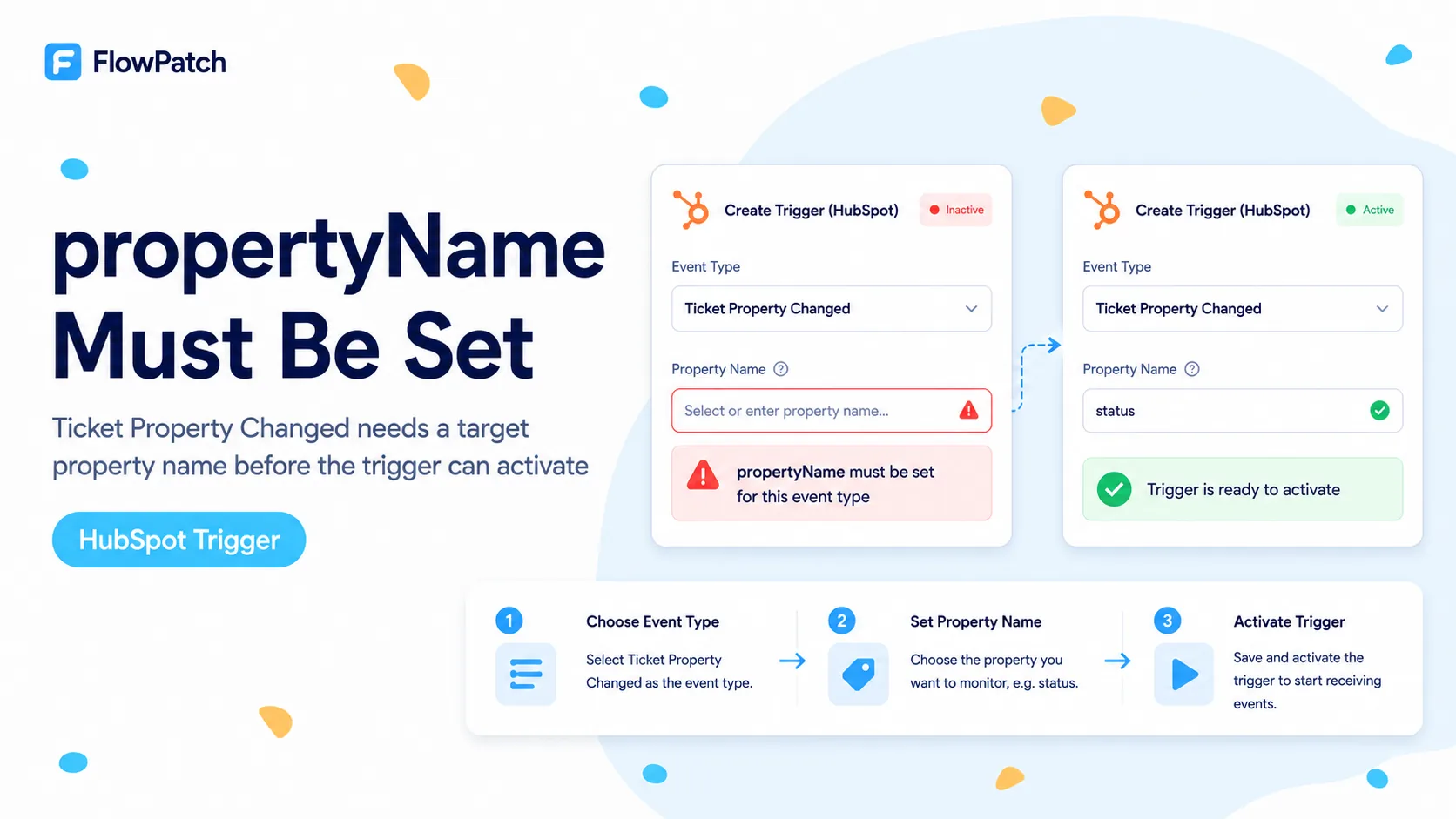
This is a malformed subscription, not a mysterious ticket permission error
A 2025 n8n Community thread documents a narrow connector failure: Contact Property Changed exposes a property selector, but Ticket Property Changed does not. When the workflow is tested, HubSpot returns “propertyName must be set for this event type.” The error remained relevant in later replies on newer n8n versions.
HubSpot’s current Webhooks API documentation confirms the contract. Property-change subscriptions need the internal name of the property to monitor. A generic ticket.propertyChange event without propertyName is incomplete, so HubSpot is expected to reject it.
That distinction saves time. If the UI never gives you a way to choose the ticket property, adding unrelated scopes or rotating tokens cannot populate a missing request field. First separate request-shape failure from authorization failure.
For propertyChange subscriptions, propertyName is data, not permission. You need both the correct ticket scope and the internal property name.
Confirm the property selector is actually missing
Create a temporary HubSpot Trigger and compare two events. Select Contact Property Changed and observe whether n8n displays a Property Name or ID field. Then switch to Ticket Property Changed. If the field disappears entirely, you have reproduced the UI/connector symptom described in the community case.
If the field is present but empty, that is a different path. The connector may be failing to load ticket property metadata because of missing permissions or a credential problem. In that case, first verify that the credential can read ticket properties through the relevant API.
Do not edit the production Trigger during diagnosis. A temporary node lets you inspect the current n8n behavior without destroying a working subscription for another event type.
Get the ticket property’s internal name from HubSpot
Webhook subscriptions use the property’s internal name, not the display label. A field shown as “Escalation Reason” in the UI might have an internal name such as escalation_reason or a portal-specific generated name. Guessing can create a second validation error even after you solve the missing field problem.
Retrieve ticket properties from HubSpot or inspect the property settings in the portal. Record the internal name, label, and type. Use a clearly controlled test property for the first subscription so you can change it without affecting production workflows.
Also confirm the property belongs to Tickets, not Contacts, Companies, or Deals. Similar labels can exist across object types, and only a ticket property can be used for ticket.propertyChange.
Example target
Object: Ticket
Label: Escalation Reason
Internal name: escalation_reason
Subscription type: ticket.propertyChange
Ticket webhook subscriptions require the ticket scope
HubSpot’s current webhook documentation maps ticket.creation, ticket.deletion, ticket.propertyChange, and related ticket subscription types to the tickets scope. This requirement is separate from the propertyName field.
If HubSpot returns a missing-scope error instead of a missing-propertyName error, solve the scope grant first. Update the app configuration, run a fresh authorization flow, and verify the issued credential can create the ticket subscription. But if the raw error specifically says propertyName must be set, the scope is not the only problem.
Do not add every CRM scope. A precise webhook app is easier to audit and less risky than an app with broad permissions unrelated to the event.
When the native n8n Trigger cannot serialize propertyName
If the current HubSpot Trigger version gives you no field to supply the required property name, there is no safe expression trick inside that node because the parameter itself is absent. Rebuilding the credential may change metadata loading, but it cannot fix a node definition that does not expose the field.
At that point choose between an explicit webhook subscription outside the native Trigger or a polling fallback. The right choice depends on how much real-time behavior matters and whether you control a HubSpot app that can be configured for webhooks.
Document the n8n version and Trigger typeVersion before choosing a workaround. Retest after upgrades because connector UI support can change.
Explicit webhook path: define the property subscription in the HubSpot app
HubSpot’s modern app configuration supports webhook subscriptions where propertyName is declared for property-change events. This is the cleanest architectural workaround when you can manage the app configuration and provide a public HTTPS endpoint.
In n8n, a Webhook node can receive the HubSpot payload. Your app configuration should point HubSpot to the production webhook URL, and the subscription should name the ticket property explicitly. Validate request signatures according to HubSpot’s security guidance before trusting the payload in a production workflow.
This path moves subscription creation out of the native HubSpot Trigger, so it is more setup than a built-in node. The advantage is that every required field is explicit and version-controlled instead of hidden behind a connector form.
Conceptual subscription
{
  "subscriptionType": "ticket.propertyChange",
  "propertyName": "escalation_reason",
  "active": true
}
Polling fallback: read modified tickets and compare the property
If you cannot create or manage a webhook app, use a Schedule Trigger and query recently modified tickets. Store the last observed value for the target property keyed by ticket ID. Emit an event only when the new value differs from the stored value.
Use an overlap window so a delayed API response or failed run does not create a gap. Make downstream actions idempotent because the overlap can intentionally re-read the same ticket. Persist the cursor only after the batch finishes successfully.
Polling is less immediate and consumes API calls, but it is deterministic and easier to operate than a Trigger that cannot create its subscription. For low-volume support portals, a few-minute interval may be operationally acceptable.
Protect both webhook and polling paths from duplicate processing
HubSpot webhook deliveries and n8n retries should be treated as at-least-once style events operationally. A workflow that creates a Jira issue, sends an escalation, or changes another CRM field should have an idempotency key so the same ticket/property transition is not processed twice.
A useful key combines ticket ID, property internal name, and the new value or event timestamp. Store that key before or together with the downstream side effect where practical.
For polling, compare old and new values before acting. For webhooks, log the object ID and propertyName from the payload. Those logs make it possible to distinguish duplicate delivery from a legitimate second property change.
Verification checklist
Test with one disposable ticket and one dedicated property. Change the property once and confirm exactly one workflow execution performs the intended action. Then change an unrelated ticket property and confirm the workflow does not fire for the wrong field.
If you use the explicit webhook path, verify the app subscription lists the expected event and propertyName. If you use polling, verify a failed run can replay the overlap window without duplicating the downstream effect.
- Target ticket property internal name is known.
- App has the ticket webhook scope required by HubSpot.
- Subscription contains propertyName for ticket.propertyChange.
- One target-property change produces one intended action.
- Unrelated ticket property changes do not trigger the action.
What this guide is based on
The missing-selector symptom and exact error come from an n8n Community thread. The requirement for propertyName and the ticket scope are checked against HubSpot’s current Webhooks documentation and app webhook configuration reference.
Frequently asked questions
Why does HubSpot reject the Ticket Property Changed subscription?
A property-change subscription must include a propertyName, and HubSpot correctly rejects one that has none. The clue is that n8n lets you choose the event but the property selector disappears or never loads.
What do I check before reauthorizing the credential?
Confirm the target ticket property’s internal name and that the credential has the required tickets scope. Repeatedly reauthorizing does not add a propertyName the UI failed to send.
What if the native Trigger UI cannot supply propertyName?
Use a HubSpot app or webhook configuration path that lets you define the subscription explicitly, or poll the ticket property until the connector supports the field reliably. Add de-duplication so polling does not create duplicate events.