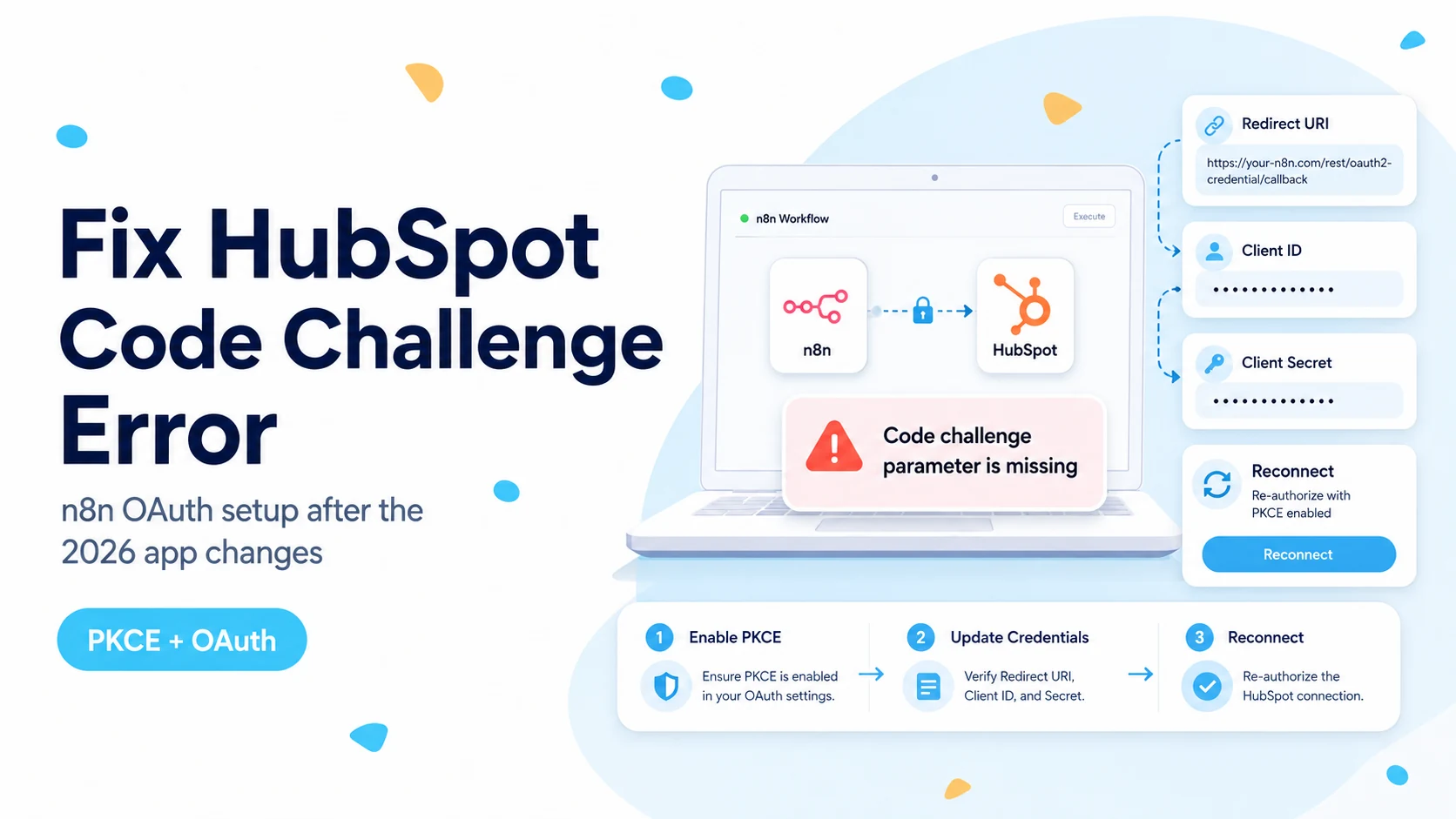
Why this error is different from an ordinary OAuth typo
The browser message mentions PKCE, so it is tempting to start changing redirect URLs, scopes, or client secrets at random. In the current n8n + HubSpot situation, that can send you in circles. The important clue is the credential form itself. n8n’s HubSpot credential documentation currently says the HubSpot Trigger uses a Developer API key credential and lists four values: Client ID, Client Secret, Developer API Key, and App ID. Those values come from the older public-app model.
HubSpot changed the app-creation surface in 2026. Its developer changelog says new legacy public apps could no longer be created for accounts created on or after May 26, 2026, and that creation was disabled for older developer accounts on June 23, 2026. Existing legacy public apps continue to function, but a new developer account cannot simply follow an older tutorial and create the same app type from the UI.
A real n8n Community report from August 2026 shows the exact failure on n8n 2.32.7. The user could reach the HubSpot authorization step, but the Trigger credential expected an App ID that was not present on the app types they could create. That is why recreating private apps or MCP auth apps did not solve the underlying mismatch.
Before changing any secret, compare the fields n8n requires with the fields your HubSpot app type actually provides. If the models do not match, no amount of retyping will make the missing App ID appear.
Confirm that you are on the affected credential path
Open the credential attached to the HubSpot Trigger node and write down the required fields. If it asks for an App ID and a Developer API Key in addition to the normal OAuth client values, you are on the Trigger credential path documented by n8n for legacy public apps.
Then inspect your HubSpot developer account. If you only see Projects-based apps, Service Keys, legacy private apps, or MCP-specific app configuration, do not assume one of those is interchangeable with the Trigger credential. n8n’s own documentation separates the methods: Service Key is recommended for the regular HubSpot node, Developer API key is used by the HubSpot Trigger, and OAuth2 is used by the regular HubSpot node.
This distinction matters because a Service Key can be perfectly valid for API reads and writes while still being unusable in the Trigger credential form. A green test on a normal HubSpot action node therefore does not prove that the webhook-based Trigger credential can be created.
- Trigger form asks for App ID + Developer API Key: treat this as the legacy public-app path.
- Regular HubSpot node with Service Key works: that proves API authentication, not Trigger subscription compatibility.
- MCP auth app exists: do not paste its client details into the HubSpot Trigger unless n8n explicitly documents that flow.
- Existing legacy public app still exists: preserve it until you have tested a replacement end to end.
Four “fixes” that usually do not address this failure
Changing the redirect URL is useful when HubSpot says the callback does not match, but it does not solve the absence of the app type expected by the Trigger credential. Likewise, adding broad CRM scopes may change a later authorization error, but it cannot create an App ID that the current app type does not expose.
Creating repeated private apps is also a dead end if your goal is to satisfy a credential that explicitly expects a legacy public-app identifier. The same is true of rotating a Service Key that already works for ordinary API requests. Rotation is a security operation; it is not a compatibility layer.
Finally, avoid deleting an old public app just because the new HubSpot interface looks cleaner. HubSpot explicitly says existing legacy public apps are not affected by the creation sunset. If that app is the only thing keeping a production Trigger alive, deleting it can remove a credential path you may not be able to recreate.
- Do not rotate working tokens as a first response to a PKCE message.
- Do not add every available scope hoping the missing field appears.
- Do not delete a legacy public app before proving the replacement workflow.
- Do not treat an MCP auth app as a generic OAuth app without documentation saying it is supported.
The practical workaround: use a Service Key and poll instead of waiting for the Trigger
n8n’s current HubSpot credential documentation recommends Service Keys for the regular HubSpot node. Its HubSpot integration page also lists operations for recently created or updated contacts, companies, and deals. That gives you a workable fallback when the real-time Trigger credential is blocked.
Start the workflow with a Schedule Trigger. Query only records that could have changed since the previous successful run, process them, and save a cursor only after the batch completes. The cursor can be a timestamp plus a small overlap window, or a combination of last-modified time and record ID if you need deterministic ordering.
Do not simply run “Get Many” against the entire portal every minute. A good polling workflow is narrow enough to remain cheap and idempotent. It should also tolerate one failed run without skipping records on the next run.
Schedule Trigger (every 2–5 minutes)
  ↓
Read last successful cursor
  ↓
HubSpot node: get recently created/updated records
  ↓
Filter records newer than cursor
  ↓
Process downstream actions
  ↓
Persist cursor only after success
A two-minute polling workflow that reliably catches every record is better than a “real-time” Trigger that cannot be provisioned or silently misses events.
Make the polling fallback safe to replay
Polling introduces a different failure mode: duplicate processing. The easiest protection is to make the downstream operation idempotent. If the workflow creates an object in another system, use a stable HubSpot record ID as the external key or search before create. If it sends a notification, store a processed marker keyed by object ID and source update time.
Use a small overlap when filtering by timestamps because APIs and clocks can disagree at boundaries. For example, if the last successful cursor is 14:05:00, querying again from 14:04:30 is safer than starting exactly at 14:05:00. The overlap is harmless when your workflow deduplicates by object ID plus last-modified time.
Advance the cursor after the full batch succeeds. If you update it before downstream steps finish, a later failure can cause the next run to start after the unprocessed record and permanently skip it.
If you already have a compatible legacy public app
Your situation is better if the developer account already contains a public app created before the sunset. HubSpot says those existing apps continue to function. In that case, use the exact App ID, Client ID, Client Secret, and Developer API Key associated with that app, then confirm the n8n OAuth redirect URL matches what is configured in HubSpot.
Do not assume old app scopes are still sufficient for a newly selected Trigger event. First get the credential connected, then test one event type at a time. A contact-created subscription and a ticket-created subscription can require different object scopes. Solve compatibility first and scope errors second so the diagnosis remains clear.
Document the working app before touching it. Record the app name, App ID, redirect URL, selected scopes, n8n credential name, and which workflows depend on it. Because you cannot rely on recreating the same legacy app type, that inventory is now operationally important.
Verification: prove the workaround instead of assuming it works
For an existing legacy app, create one disposable HubSpot record that exactly matches the configured event and confirm one n8n execution is created. Repeat with an event that should not match and confirm it is ignored. If the Trigger still fails, capture the complete error before changing scopes or credentials again.
For polling, update one known test contact and record its HubSpot last-modified time. Wait for the scheduled run and confirm the record appears once. Run the workflow again without changing the contact; it should not execute the business action a second time. Then deliberately fail the downstream step once and verify the saved cursor does not advance past the failed record.
Keep the HubSpot correlation ID whenever an API response includes one. It is far more useful for later support or vendor debugging than a screenshot of n8n’s generic red banner.
- One test record is detected exactly once.
- Unchanged records are not reprocessed.
- A failed run does not advance the cursor past unprocessed work.
- The working credential type is documented by name and app type.
- Any HubSpot correlation ID is preserved in logs.
Sources checked for this guide
This guide intentionally separates confirmed platform facts from community diagnosis. The legacy-app sunset and credential-method split come from HubSpot and n8n documentation. The exact 2026 error reproduction comes from the n8n Community thread linked below.
Frequently asked questions
Is a wrong password or bad secret causing the "code challenge parameter is missing" error?
Usually not. HubSpot stopped creation of new legacy public apps in 2026, but n8n’s HubSpot Trigger credential still asks for the legacy App ID, Client ID, Client Secret and Developer API Key. If your account only offers the newer app platform or Service Keys, the credential type no longer matches, so re-entering secrets does not help.
What can I use instead of the legacy HubSpot Trigger credential?
If you already have a compatible legacy public app, keep it. Otherwise use a Service Key with the regular HubSpot node and poll for changed records on a schedule until n8n updates the Trigger credential path. Add idempotency and a persisted cursor so the poll does not reprocess events.
Does this affect the regular HubSpot node too?
No. The regular HubSpot action node works with a Service Key or private-app token as a Bearer credential. The "code challenge parameter is missing" symptom is specific to the OAuth authorization step of the legacy public-app Trigger credential.