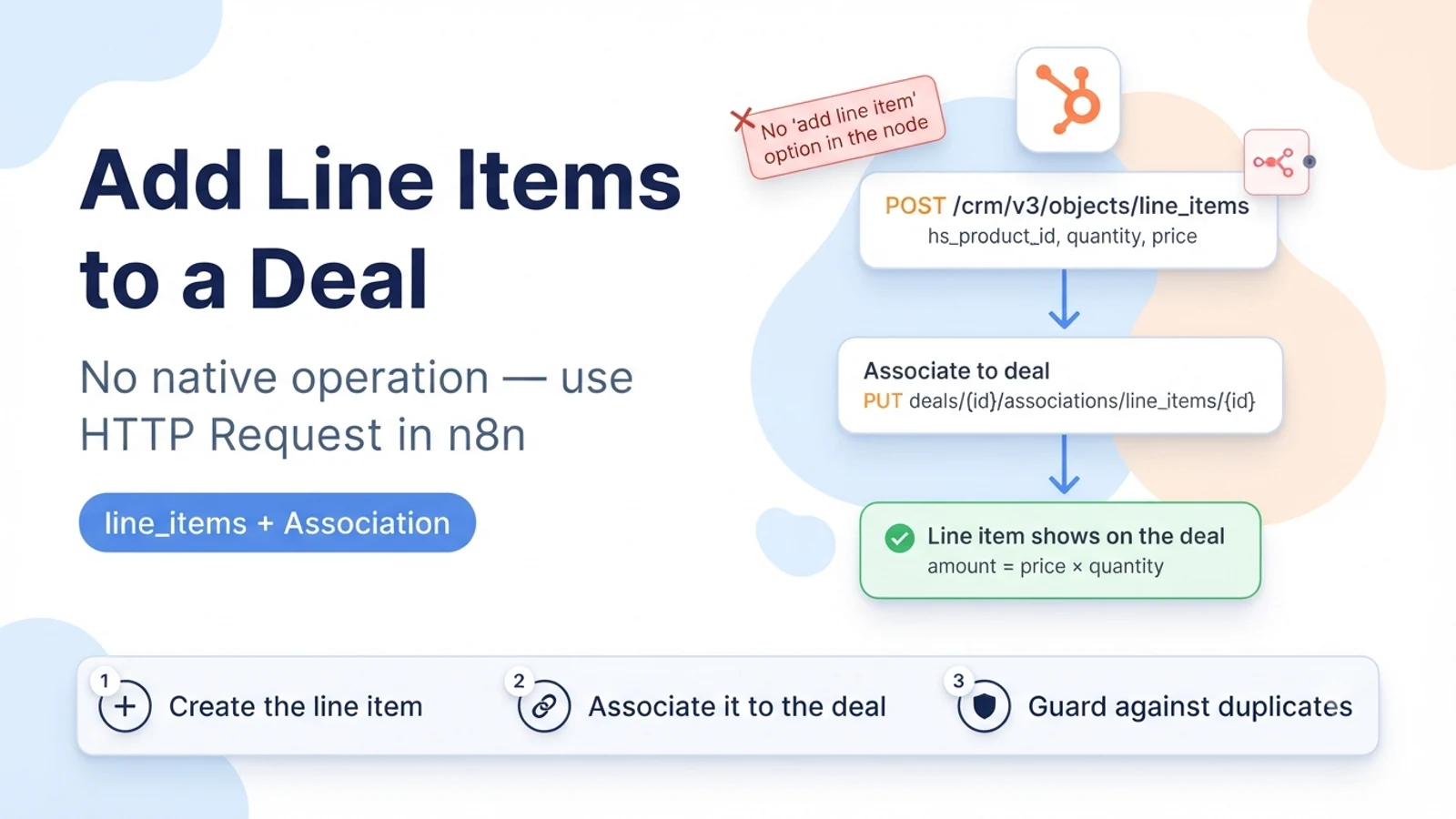
Why there is no line-item option in the node
n8n's HubSpot node covers contacts, companies, deals, tickets, engagements and a few others, but line items are not among its resources. So there is genuinely no dropdown to pick; this is a missing operation, not a hidden one. Everything below uses the generic HTTP Request node against HubSpot's CRM v3 API with your existing HubSpot credential.
It also helps to know the data model. A HubSpot deal does not contain line items as fields. Line items are separate records in the line_items object, each associated to exactly one deal. Products are a catalogue; a line item can be a free-standing entry or can point at a product via hs_product_id. Quote line items are yet another layer. For 'add products to this deal', you are creating line_items records and associating them to the deal.
The two calls: create the line item, then associate it
Step one, create the line item. POST to /crm/v3/objects/line_items with a properties object. If the line item is based on a catalogue product, set hs_product_id to the product's record id; HubSpot will pull the product's name and unit price as defaults. Even so, set price and quantity explicitly in your call — relying on inheritance is where 'the amounts are wrong' bugs come from, especially when a product has multiple price entries. Capture the new line item id from the response.
Step two, associate the line item to the deal. The clean way is PUT /crm/v3/objects/deals/{dealId}/associations/line_items/{lineItemId}/{associationTypeId} using the default deal-to-line_item association type id. Alternatively, include the association inline in the create call by adding an associations array to the POST body, which does both steps at once.
Repeat per line item. There is no single call that takes an array of products and attaches them all; you loop.
// 1) Create the line item (based on a product)
POST https://api.hubapi.com/crm/v3/objects/line_items
{
  "properties": {
    "hs_product_id": "{{productId}}",
    "quantity": "2",
    "price": "49.00"
  },
  "associations": [{
    "to": { "id": "{{dealId}}" },
    "types": [{ "associationCategory": "HUBSPOT_DEFINED", "associationTypeId": 20 }]
  }]
}
// associationTypeId 20 = line_item -> deal (default). Confirm the current id
// for your portal via GET /crm/v4/associations/line_items/deals/labels.

// 2) Or associate separately, after creating without the associations array:
PUT https://api.hubapi.com/crm/v3/objects/deals/{{dealId}}/associations/line_items/{{lineItemId}}/{{typeId}}
Looping over multiple products without creating duplicates
Feed the HTTP Request node a list of product-plus-quantity items and let n8n iterate. Between runs, the risk is duplicate line items: if the workflow re-runs for the same deal, it will happily create a second set.
Guard it. Before creating, read the deal's existing line items (GET /crm/v3/objects/deals/{dealId}/associations/line_items, then batch-read those line item records) and skip any product that is already attached with the same quantity. Or store a marker keyed by dealId plus productId once you have added it, and check that marker first.
If your process is 'replace the deal's line items with this set', delete the existing associations (or the line item records) first, then create the new set, rather than layering new items on top of old ones.
- Iterate the product list; one create + associate per product.
- Before create, list the deal's current line items and skip products already attached.
- For a full replace, remove existing line items first, then add the new set.
- Keep the created line item ids in the workflow output for later reconciliation.
Pricing, currency, and term gotchas
Set price per unit, not the line total. HubSpot multiplies price by quantity to get the amount. Sending the already-multiplied total gives you an inflated deal amount.
If your portal uses multiple currencies, a line item follows the deal's currency. A product priced in USD attached to an EUR deal does not auto-convert; you either send the correct price for the deal's currency or accept the mismatch. Decide this deliberately.
For recurring line items, hs_recurring_billing_period and related term properties control the schedule. If you only set price and quantity on a product that is configured as recurring, the amount HubSpot shows on the deal may not match what you expected because the term is missing.
Verification
Add one product-based line item to a test deal via the workflow. Open the deal in HubSpot: the line item should appear in the deal's line items section with the right name, unit price, quantity, and a line amount equal to price times quantity. The deal amount should update to include it (if your portal is set to roll line items into the deal amount).
Run the workflow again for the same deal and confirm no duplicate line item is created — your skip-if-present guard should stop it.
Add a second line item and confirm both are associated to the same deal and both show. Then, if your process supports replace, run the replace path and confirm the old line items are gone and only the new set remains.
- Line item shows on the deal with correct unit price, quantity, and amount.
- Deal amount reflects the line items (if the portal rolls them up).
- Re-running does not create duplicates.
- Replace path removes the previous set cleanly.
Sources checked for this guide
HubSpot's line items API guide documents creating a line item with POST /crm/v3/objects/line_items, basing it on a product with hs_product_id, and associating it to a deal. HubSpot Community threads document that a line item must be associated to a deal to appear, and the association endpoints used. n8n Community discussion confirms the HubSpot node has no line-item operation and that people use HTTP Request or Code nodes for it.