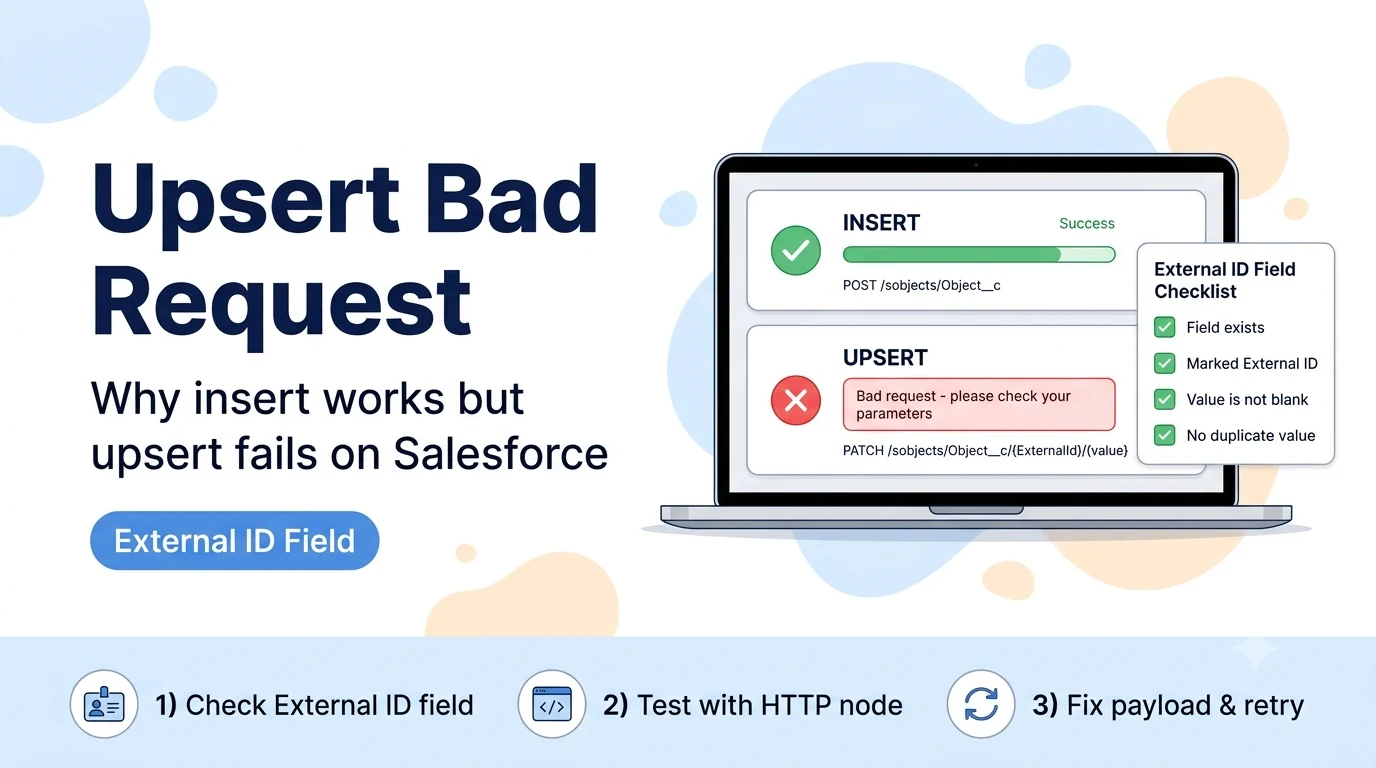
Why upsert fails where insert succeeds
Salesforce's REST API implements upsert as a PATCH request to a special endpoint keyed by an External ID field: /sobjects/{ObjectName}/{ExternalIdField}/{ExternalIdValue}. Insert, by contrast, is a plain POST to /sobjects/{ObjectName} with no External ID involved at all. That means upsert has an entire extra layer of requirements insert never touches — the External ID field must exist, must be flagged as "External ID" (and usually "Unique") in the object's field definition, and must have a non-blank value on every record you send.
A community report of exactly this pattern — insert working, upsert on the same custom object returning "Bad request - please check your parameters" — went unresolved in the original thread, with the workaround being to switch to the HTTP Request node and call the Salesforce REST API directly. That workaround succeeds precisely because it exposes the underlying API error text, which the built-in node's generic wrapper had been swallowing.
External ID field checklist
- The field exists on the custom object and its API name (ending in __c) is spelled exactly as selected in the n8n node's "External ID Field" parameter.
- In Object Manager → Fields & Relationships → the field → Edit, the checkbox "External ID" is checked. A text or number field that is merely "Unique" but not flagged "External ID" cannot be used for upsert.
- The field is populated (non-null, non-blank) on every record in the n8n item you're sending — a blank External ID value on even one row can fail the whole batch depending on how the node processes items.
- If the field is also marked Unique, no two existing records already share the value you're about to upsert with — a pre-existing duplicate value under that key will cause the API to reject the match as ambiguous.
Verify the real error with the HTTP Request node before troubleshooting further
Because the built-in Salesforce node's error message here is generic, the fastest way to see the actual Salesforce error code (INVALID_FIELD, DUPLICATE_VALUE, REQUIRED_FIELD_MISSING, or similar) is to temporarily replicate the same call with an HTTP Request node and "Continue on Fail" turned on so you can inspect the raw response body.
PATCH https://yourInstance.my.salesforce.com/services/data/v62.0/sobjects/Your_Custom_Object__c/Your_External_Id__c/12345
Authorization: Bearer {{ $credentials.salesforceOAuth2Api.oauthTokenData.access_token }}
Content-Type: application/json

{
  "Name": "Example Record",
  "Status__c": "Active"
}

# Read the JSON error body, not just the HTTP status —
# Salesforce returns an array like:
# [{ "message": "...", "errorCode": "INVALID_FIELD_FOR_INSERT_UPDATE", "fields": [...] }]
Other causes once the External ID field itself checks out
If the External ID field configuration is confirmed correct and the error persists, check for a required field on the object with no default value that insert happens to satisfy (because a Salesforce automation like a Flow or trigger fills it in on insert) but which the upsert payload from n8n does not include — REQUIRED_FIELD_MISSING can present as a generic bad-request through the node's error wrapper.
Also confirm the API version the Salesforce node is calling against matches what your org's automation expects — a very old or very new API version can occasionally interact with validation rules or Flow triggers differently, particularly on orgs with strict field-level validation rules attached to the custom object.
Sources checked for this guide
Salesforce's upsert-by-External-ID REST API behavior is documented Salesforce platform behavior. The specific n8n symptom (insert works, upsert on the same custom object returns a generic bad request) and the HTTP Request node workaround come from a report on the n8n Community forum.