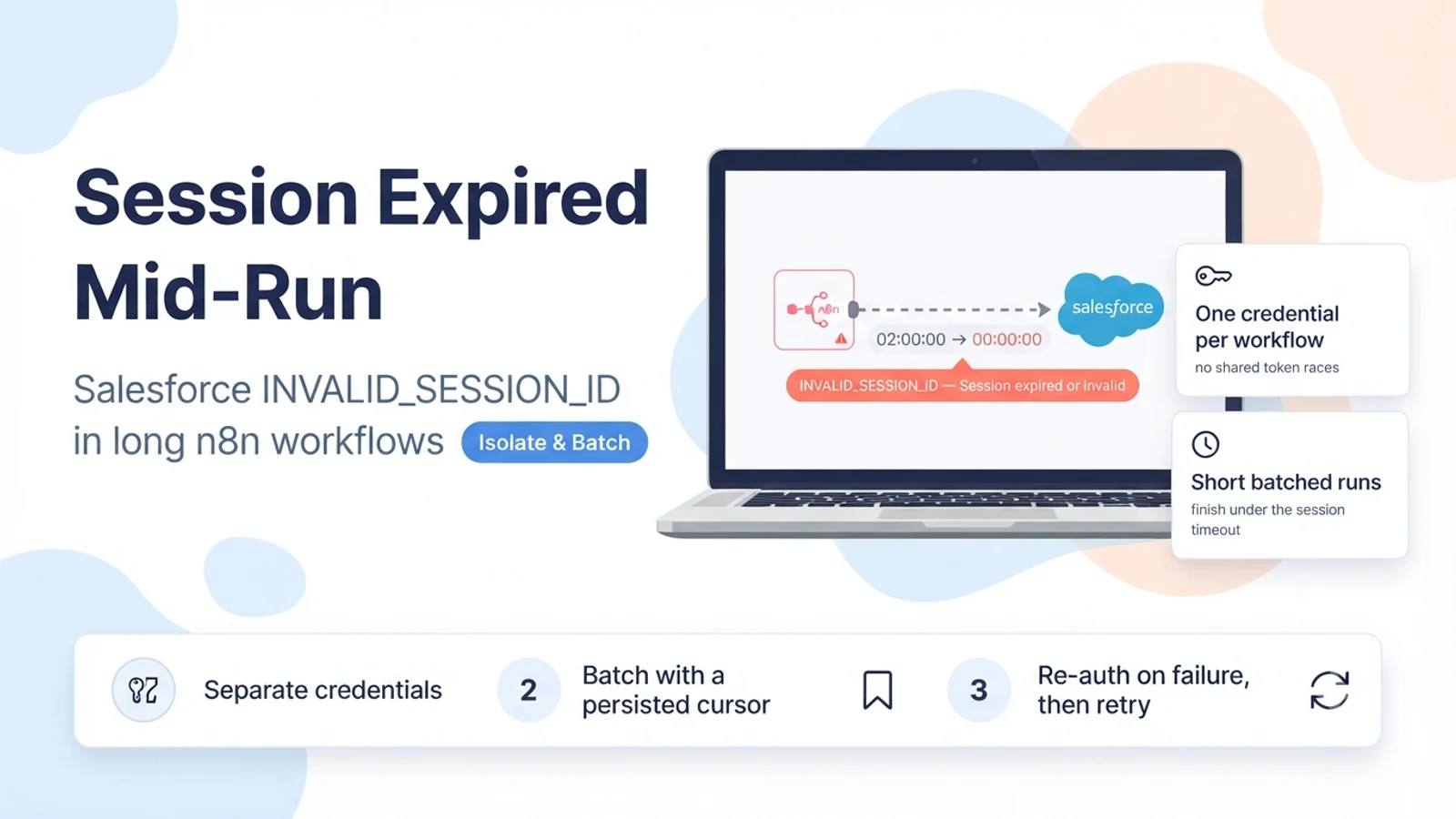
Why the session dies mid-run
When n8n connects to Salesforce with OAuth2, it receives an access token that represents a session. That session has a timeout — for most orgs the default is two hours, configurable from fifteen minutes up to twenty-four hours under Setup, Session Settings. Salesforce can also end a session early for other reasons (an admin action, a security policy, hitting a concurrent-session cap).
The complication is that Salesforce's token endpoint does not return an expiry. There is no expires_in or expires_at in the response, so a client cannot compute 'this token is good until 15:07'. n8n therefore assumes the token is still valid and only discovers otherwise when a request comes back with INVALID_SESSION_ID. On a short workflow you rarely see it; on a workflow that runs for an hour, or a scheduled job whose credential has been idle, the session can lapse between the first node and a later one.
Concurrent use makes it more likely. If several workflows or several users share one Salesforce credential record, their refresh attempts can race and overwrite each other's token state, leaving one execution holding a token that another execution already replaced or invalidated.
Confirm this is a session-lifetime problem and not a bad credential
Look at when it fails. A credential that is simply wrong fails on the first call every time. A session-lifetime problem succeeds for a while and then fails, often after roughly the session timeout, or on the first call of a scheduled run after the credential sat idle.
Look at the error text. INVALID_SESSION_ID with 'Session expired or invalid' is the session case. INVALID_LOGIN, invalid_grant, or redirect_uri errors are credential or connected-app configuration problems with different fixes.
Check for concurrency. If failures cluster when multiple workflows run at once, or when the same credential is used by scheduled jobs and interactive testing simultaneously, suspect shared-credential token races rather than plain expiry.
- Fails partway through a run or on the first call after idle — not on every call.
- Error is INVALID_SESSION_ID / 'Session expired or invalid', not INVALID_LOGIN or invalid_grant.
- Failures increase with concurrent workflows sharing one credential.
Fixes that do not hold
Manually reconnecting the credential in the n8n UI clears the error for the current session, so it looks fixed — until the new session times out too. It is a reset, not a fix.
Raising the Salesforce session timeout to twenty-four hours reduces the frequency but does not eliminate it, and it weakens your org's security posture for every user, not just the integration. It is a trade-off to make consciously if at all, not a first move.
Adding a plain retry (retry the same node, same token) often fails again immediately because the token is still the dead one. Retry only helps if the retry re-authenticates first.
The fix: isolate credentials, keep runs short, re-auth on failure
Give each workflow its own Salesforce credential record, and if multiple people or jobs run Salesforce work concurrently, give each its own credential (or its own connected-app user). This stops one execution's refresh from invalidating another's token. It is the single highest-impact change for concurrency-driven failures.
Design executions to finish well within the session timeout. If a job legitimately needs more than an hour of Salesforce calls, restructure it: process a bounded batch per run, persist a cursor (the last id or timestamp processed), and schedule the workflow to run repeatedly until the backlog is clear. Each run then starts fresh, well under the timeout, and a failure only costs one batch.
Turn on n8n's error handling so that an auth failure triggers a re-authentication and a retry, rather than a bare retry. Where n8n exposes settings for retrying on failure and for handling 3xx/auth responses by refreshing the OAuth token, enable them for the Salesforce nodes. The intent is: on INVALID_SESSION_ID, get a new token, then repeat the failed call once.
Pattern for a large Salesforce job:

Schedule Trigger (every 10–15 min)
  ↓
Read cursor (last processed Id / SystemModstamp)
  ↓
Salesforce: query next N records after cursor      <- N small enough to finish in minutes
  ↓
Process / upsert downstream
  ↓
Persist cursor only after the batch fully succeeds

+ per-node: retry on failure enabled, re-auth on auth error enabled
+ per-workflow: its own Salesforce credential (not shared with other workflows)
Verification
Reproduce first. Run the long workflow as it is and note the elapsed time at which INVALID_SESSION_ID appears. If it lines up with your org's session timeout, you have confirmed the cause.
After splitting into batched runs, let the schedule run through a full backlog. Every run should complete; none should hit INVALID_SESSION_ID because none runs long enough for the session to lapse. A failed batch should resume from the same cursor on the next run with no skipped or double-processed records.
For concurrency, run two Salesforce workflows on separate credentials at the same time for an extended period and confirm neither invalidates the other. Then, as a negative test, point them both at one shared credential and confirm the failures return — that proves isolation was the fix.
- Original long run fails around the session-timeout mark.
- Batched runs each complete without INVALID_SESSION_ID.
- A failed batch resumes cleanly from the persisted cursor.
- Separate credentials for concurrent workflows stop the cross-invalidation.
Sources checked for this guide
Salesforce documentation covers session timeout defaults and configuration under Session Settings. Analysis of the INVALID_SESSION_ID error notes that Salesforce's token endpoint returns no expiry, so integrations cannot pre-empt expiry. An n8n Community thread on Salesforce OAuth refresh with concurrent users recommends a separate credential per user and automatic re-authentication on auth-failure responses.