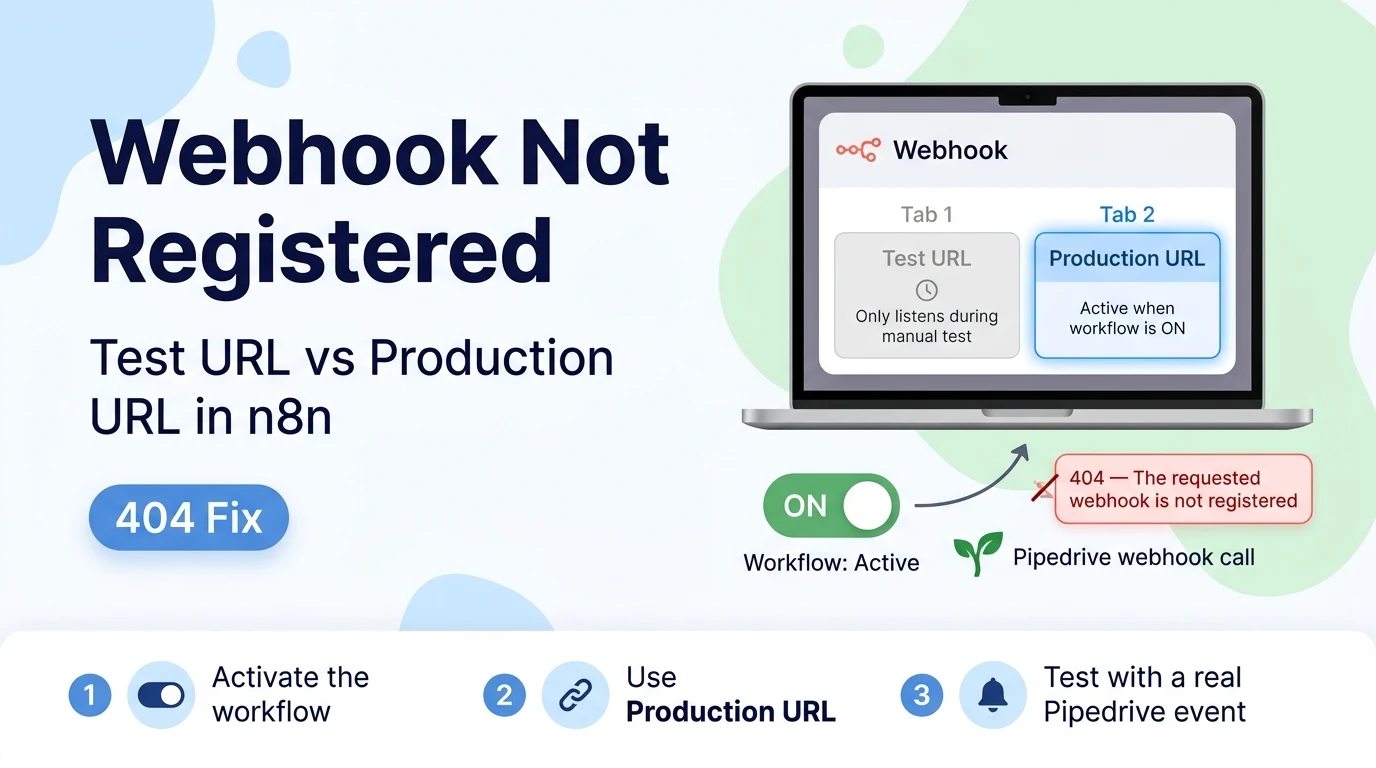
n8n's Webhook node always has two URLs, not one
Open the Webhook node and you'll see both a Test URL and a Production URL listed, usually as separate tabs. This is the single most common point of confusion in every Webhook-node debugging thread on the n8n Community forum, not just for Pipedrive specifically — the pattern repeats for HubSpot, Mautic, Stripe, and any other external caller.
The Test URL only becomes active for a short window after you click "Listen for test event" (or "Execute workflow") in the editor, and it only fires once per click. It is meant for you to manually trigger and inspect one test payload while building the workflow — it is not meant to be the permanent URL an external system calls in production.
The Production URL is what actually listens continuously, but only once the workflow's Active toggle (top-right of the canvas) is switched on. An inactive workflow's Production URL returns exactly this 404 "not registered" error to any caller, including Pipedrive, because n8n has not registered a live listener for it.
Fix checklist
- Toggle the workflow to Active (top-right switch in the n8n editor) — this alone resolves the 404 for most first-time setups.
- Copy the Production URL from the Webhook node (not the Test URL) and paste it into Pipedrive's webhook configuration — Pipedrive webhooks are configured under Settings → Webhooks, or via the API's Webhooks resource if you registered it programmatically.
- If you're testing with a manual HTTP call (curl, Postman) rather than Pipedrive itself, use the Production URL there too once the workflow is Active — the Test URL will still 404 outside of an active "Listen for test event" session.
- After switching to Active, do one real end-to-end test by triggering the actual event in Pipedrive (e.g. update a deal) rather than only checking with a manual HTTP call, since Pipedrive's own webhook delivery has its own retry and payload-shape behavior separate from n8n's URL handling.
Confirming the webhook is actually registered on Pipedrive's side
This 404 is n8n telling you no listener exists for the URL that was called — it says nothing about whether Pipedrive itself successfully sent the request. Separately confirm the webhook subscription exists and is active on the Pipedrive side: Settings → Webhooks in the Pipedrive web app, or a GET to the Webhooks API endpoint if it was created programmatically. A webhook that Pipedrive shows as active but that never actually fires is a different problem (often related to the event type or entity filter selected) from one that fires but hits a 404 in n8n.
This is different from the dedicated Pipedrive Trigger node
Everything above applies to a generic Webhook node manually pointed at by a webhook URL you configured inside Pipedrive yourself. If instead you're using n8n's dedicated Pipedrive Trigger node — which registers and manages the webhook subscription with Pipedrive automatically on your behalf — a failure there has a different cause and fix, covered separately, since that node broke for an unrelated reason when Pipedrive updated its Webhooks API to v2.
Sources checked for this guide
The Test URL vs Production URL distinction and the Active-toggle requirement are documented, standard n8n Webhook node behavior confirmed by a resolved report on the n8n Community forum describing this exact 404 with an external caller (Mautic, in that report, but the same URL/activation mechanics apply regardless of which external system calls the webhook, including Pipedrive).