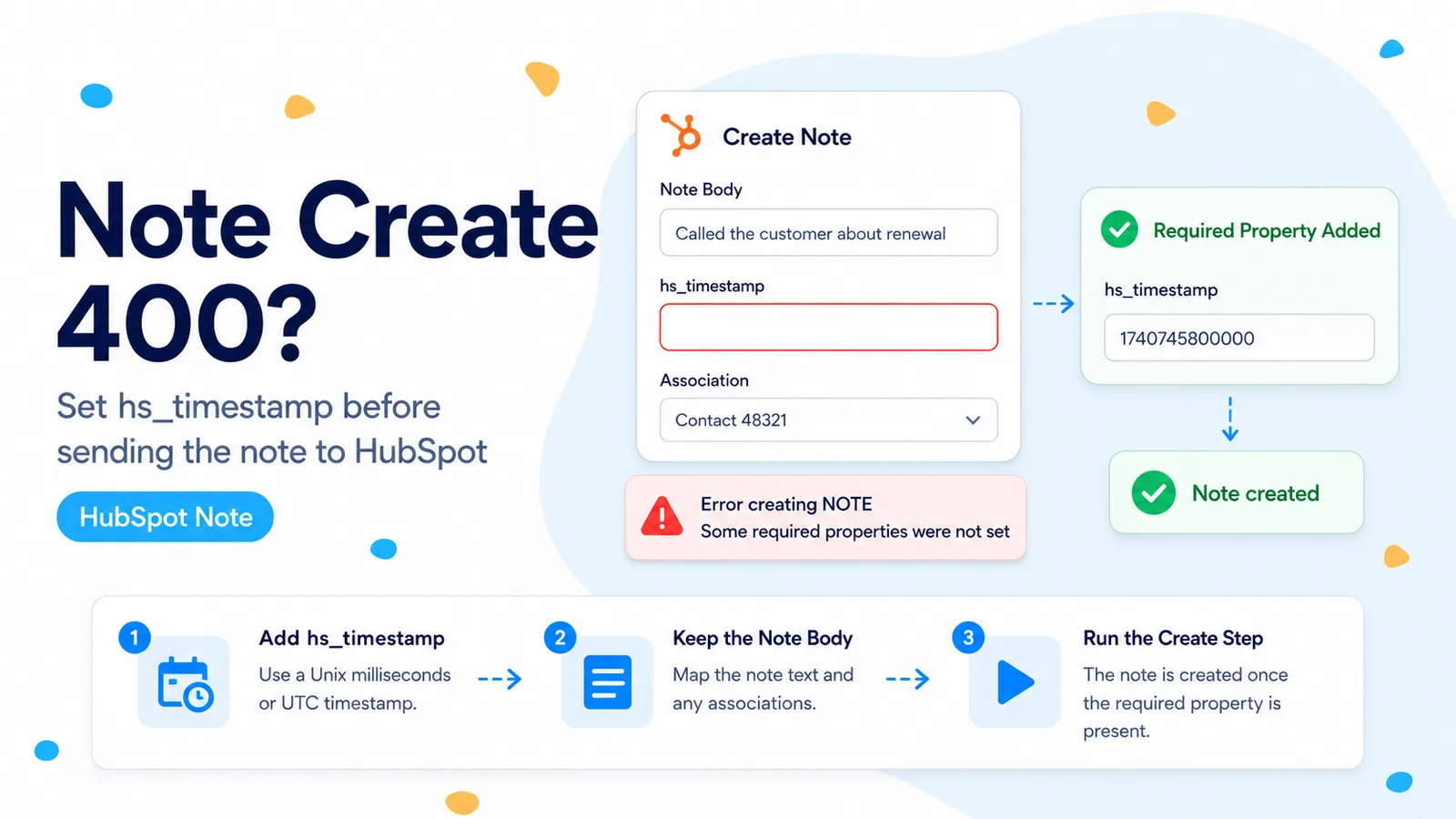
The response already tells you which property is missing
An n8n Community case shows a user posting a note body and a deal association to HubSpot, then receiving HTTP 400 with category VALIDATION_ERROR. The useful part of the response is not n8n’s generic “Bad request” banner; it is HubSpot’s context object, which lists hs_timestamp as the missing property.
That makes this a schema-validation problem, not an OAuth problem. HubSpot’s current notes documentation says hs_timestamp is required when a note is created. The field marks the note’s time of creation for its placement on the CRM record timeline. HubSpot accepts a Unix timestamp in milliseconds or a UTC-format timestamp.
If your payload contains hs_note_body but no hs_timestamp, adding more ticket/contact/deal scopes will not fix this error. The server has already authenticated the request far enough to validate the note object.
For HubSpot 400 responses, read context.properties before touching credentials. It often names the exact field the API contract rejected.
Start with a minimum note payload before adding the association
Build the smallest valid note first: hs_timestamp plus hs_note_body. Use an ISO timestamp generated by n8n so the value is human-readable in execution history. Once the note can be created, add the association to the deal, contact, company, or ticket you actually need.
This order separates two independent contracts. Note properties determine whether HubSpot can create the note object. Association metadata determines whether the created note is linked to the intended CRM record. Debugging both at the same time makes a 400 response harder to interpret.
For an n8n expression, $now.toISO() is clearer than hand-building milliseconds unless your downstream system already uses epoch time. If you do use milliseconds, verify the number is milliseconds rather than seconds; a ten-digit Unix-seconds value represents a very different scale from the thirteen-digit millisecond values APIs commonly expect.
POST https://api.hubapi.com/crm/objects/2026-03/notes

{
  "properties": {
    "hs_timestamp": "{{ $now.toISO() }}",
    "hs_note_body": "Account research completed by n8n."
  }
}
Then attach the note to the CRM record with an explicit association
Once the minimum note succeeds, add the associations array. HubSpot’s object APIs expect the destination record ID under to.id and an association type describing the relationship. The correct associationTypeId depends on the pair of objects, so do not reuse a number copied from a contact example when you are attaching the note to a deal.
Keep the HubSpot Record ID as a string in the JSON payload even when it looks numeric. More importantly, verify the ID belongs to the same object type as the association you selected. A deal ID placed into a contact association produces a different error from missing hs_timestamp, and you want those failures isolated.
If you are unsure of an association type ID, retrieve the labels for the object pair through HubSpot’s Associations API rather than guessing from an old blog post. HubSpot-defined IDs are stable for documented default relationships, but checking the current API is cheap and removes ambiguity.
{
  "properties": {
    "hs_timestamp": "{{ $now.toISO() }}",
    "hs_note_body": "Account research completed by n8n."
  },
  "associations": [
    {
      "to": { "id": "{{ $('Get a deal').item.json.id }}" },
      "types": [
        {
          "associationCategory": "HUBSPOT_DEFINED",
          "associationTypeId": 214
        }
      ]
    }
  ]
}
Choose the timestamp that represents the note, not merely the workflow run
Using the current time is correct for a note created now by the automation. It is not always correct for an imported historical note. If you are migrating notes from another CRM, map the source note’s actual occurrence time so the HubSpot timeline preserves chronology.
Normalize external timestamps before sending them. A string like 08/09/26 is ambiguous across US and European date conventions. Convert it to an ISO timestamp with an explicit time zone in an earlier node, then send the normalized result as hs_timestamp.
Do not substitute HubSpot’s createdAt field. createdAt is response metadata generated by HubSpot for the CRM object; hs_timestamp is the note property the create contract asks you to supply. They may be close in value for a live note, but they serve different roles.
Three n8n JSON mistakes that can make a correct timestamp disappear
First, make sure the HTTP Request node is actually sending JSON rather than form data or a string that contains JSON-looking text. HubSpot expects a JSON object with a properties key. Second, inspect the evaluated request body for the failing item; an expression can render empty even though the editor preview shows a value from a pinned item. Third, keep hs_timestamp inside properties. Putting it next to properties at the top level does not satisfy the note property requirement.
If the timestamp comes from a previous node, guard against missing values before the HTTP Request. A fallback to $now is acceptable only when “current workflow time” is semantically correct for the note. For imported history, route missing timestamps to a review path instead of silently changing the event time.
After changing the payload, execute one item and inspect HubSpot’s full response. A successful create returns the note object with its own id. Save that ID in the execution output before continuing to downstream steps so you can prove which note the workflow created.
- Body content type is JSON.
- hs_timestamp is nested inside properties.
- The evaluated timestamp is non-empty for every item.
- The timestamp represents the intended note time.
- Association debugging begins only after note creation validates.
Verify both creation and timeline placement
Create one test note with a recognizable body and a timestamp a few minutes in the past. Open the associated CRM record and confirm the note appears at the expected point on the timeline. Then retrieve the note through the API and request hs_timestamp and hs_note_body to confirm HubSpot stored the values you intended.
If the note exists but appears on the wrong record, your required-property problem is fixed and the remaining issue is association configuration. Keep those diagnoses separate in the article, logs, and production alerts.
References used here
The exact 400 response with context.properties containing hs_timestamp comes from n8n Community. The requirement and accepted timestamp formats are checked against HubSpot’s Notes API documentation.
Frequently asked questions
Why does creating a HubSpot note return "Some required properties were not set"?
HubSpot currently documents hs_timestamp as required for notes. When the response names hs_timestamp in context.properties, add hs_timestamp inside the note’s properties object.
What format does hs_timestamp accept?
Either a Unix timestamp in milliseconds or a UTC/ISO timestamp. Do not confuse createdAt with hs_timestamp, and do not move the timestamp into the association object.
My JSON looks right but it still fails — what else?
Watch for n8n JSON pitfalls: the timestamp must sit inside properties, not at the top level or in the association block. Fix the required-property validation before changing any association IDs.